 AI-generated image
 Copilot Studio now runs on three different harnesses, and each one bills differently. Here is what a harness is, how to tell which one your agent sits on, and the licensing change that surprised me most: testing an agent now costs money.
Three harnesses, one product name: what actually changed in Copilot Studio pricing
TL;DRh2
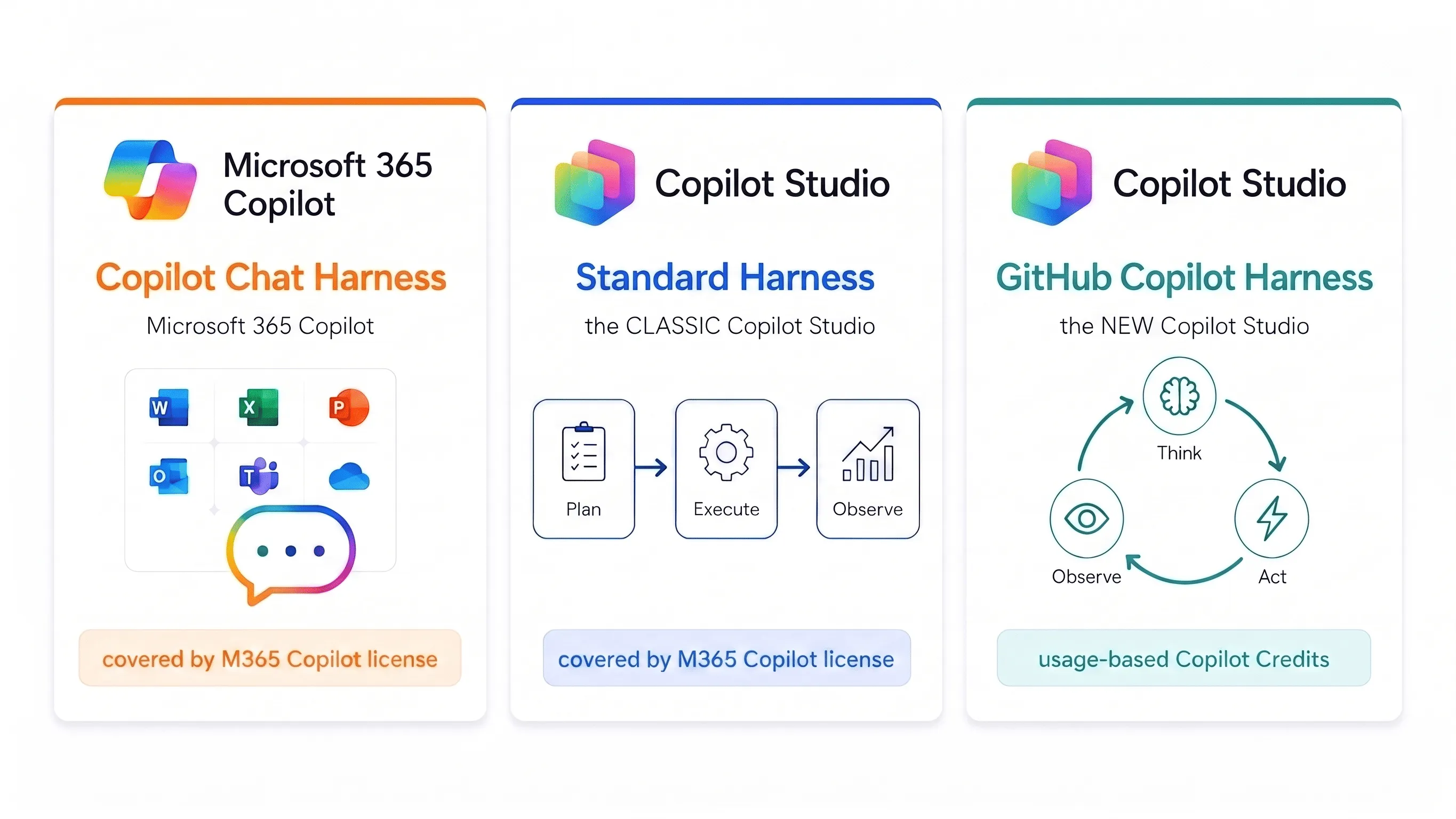
Copilot Studio now runs on three harnesses, the runtime that sits between your design and the model, and each one bills differently:
- GitHub Copilot Harness, the new Copilot Studio. Nearly everything is usage-based Copilot Credits: AI-assisted authoring, testing and runtime all draw credits. Only manual Build-tab configuration, publishing and the Monitor tab stay free. An M365 Copilot license buys you nothing here.
- Standard Harness, the classic Copilot Studio. Consumption-based, or covered by the M365 Copilot license, though some premium features stay excluded even when you hold that license.
- Copilot Chat Harness, Microsoft 365 Copilot Chat. Consumption-based, or covered by the M365 Copilot license.
What actually bugs me is further down, but here it is in one line: on the new harness even testing an agent costs credits. Not just the runtime. You can’t try the thing out without paying, and your M365 Copilot license doesn’t cover it.
 AI-generated image
 Why I’m writing this down at allh2
The new GitHub Copilot Harness has just landed, and it has thrown a lot of people. The confusion is all about the same thing: when, and for what, Copilot Studio actually bills you now. I’ve watched more than one person react to it with a bit of panic, and I understand why.
The reason for the confusion is that since the new harness went GA, “Copilot Studio” is no longer one product with one pricing model. It is three runtimes with three pricing models under one name. If you don’t know which harness your agent runs on, you simply can’t answer the question of what it costs.
So I dug into it.
What a harness even ish2
You can picture it best with a practical example. If I run Claude’s Opus 5, or even Opus 4.8, directly through Claude Code from Anthropic, the people who actually build that model, my coding sessions come out noticeably better than running the exact same model through a partner surface like GitHub Copilot. On paper it’s the identical model, and for most people that’s where the story ends. But the piece sitting around the model, the thing that feeds in context, calls tools and reacts to what comes back, is what actually decides how good the output is. The best model is only ever as good as the harness wrapped around it.
That piece in the middle is the harness. You design the agent or workflow, the model you picked does the reasoning and generation, and the harness is the runtime in between: it decides when the model gets called, which components it sees, interprets the answer and calls the right tools. Sounds like a detail. It’s actually where it gets decided what your agent can do and what it costs.
Because the harness determines four things at once: how the work gets done (a fixed script, or breaking a goal down into steps on its own), how much you can automate end to end, which capabilities you get out of the box (creating files, skills, memory, tool orchestration), and, yes, how you get billed.
And that’s exactly what’s playing out with Copilot Studio: the classic and the new experience can run the same models, and the harness still makes most of the difference in how good the answers turn out.
The three harnesses and what they hang offh2
GitHub Copilot Harnessh3
The “GitHub Copilot” in GitHub Copilot Harness has nothing to do with the GitHub Copilot product you use for coding. Nothing is integrated in either direction, no shared product, no data flowing between them, no GitHub account or repository involved. The name comes purely from the fact that this harness runs the same underlying engine, the same runtime that wraps the model, as GitHub Copilot does. That shared harness is the entire connection.
What it can do, per Learn: instead of just following a fixed script it takes a goal, breaks it into steps, calls tools through connectors, knowledge, MCP and connected agents, and adapts when a step fails or the request changes. It natively creates and edits Word, Excel, PowerPoint and PDF files, supports skills and memory, and runs each task in a secured sandbox.
What it hangs off: the new agent experience and the new workflows.
Billing: Copilot Credits, usage-based.
Standard Harnessh3
The classic example is an internal helpdesk that answers standard questions and routes simple requests onward.
What it hangs off: the classic agent experience and Agent Flows.
Billing: consumption-based, or covered by the M365 Copilot user license, following the existing licensing and billing model from the Copilot Studio licensing guide.
Copilot Chat Harnessh3
The narrowest of the three, and the one with the clearest purpose. It connects your enterprise knowledge to Microsoft 365 Copilot Chat so employees get grounded answers without leaving the environment they already work in. Typical case: an onboarding agent that answers from SharePoint content.
Here you only publish to internal teams.
Billing: consumption-based, or covered by the M365 Copilot user license.
How the Standard and GitHub Copilot harnesses work, and why the loop is the real differenceh2
The billing split makes more sense once you see how the two harnesses actually run a request. They don’t just cost differently, they think differently.
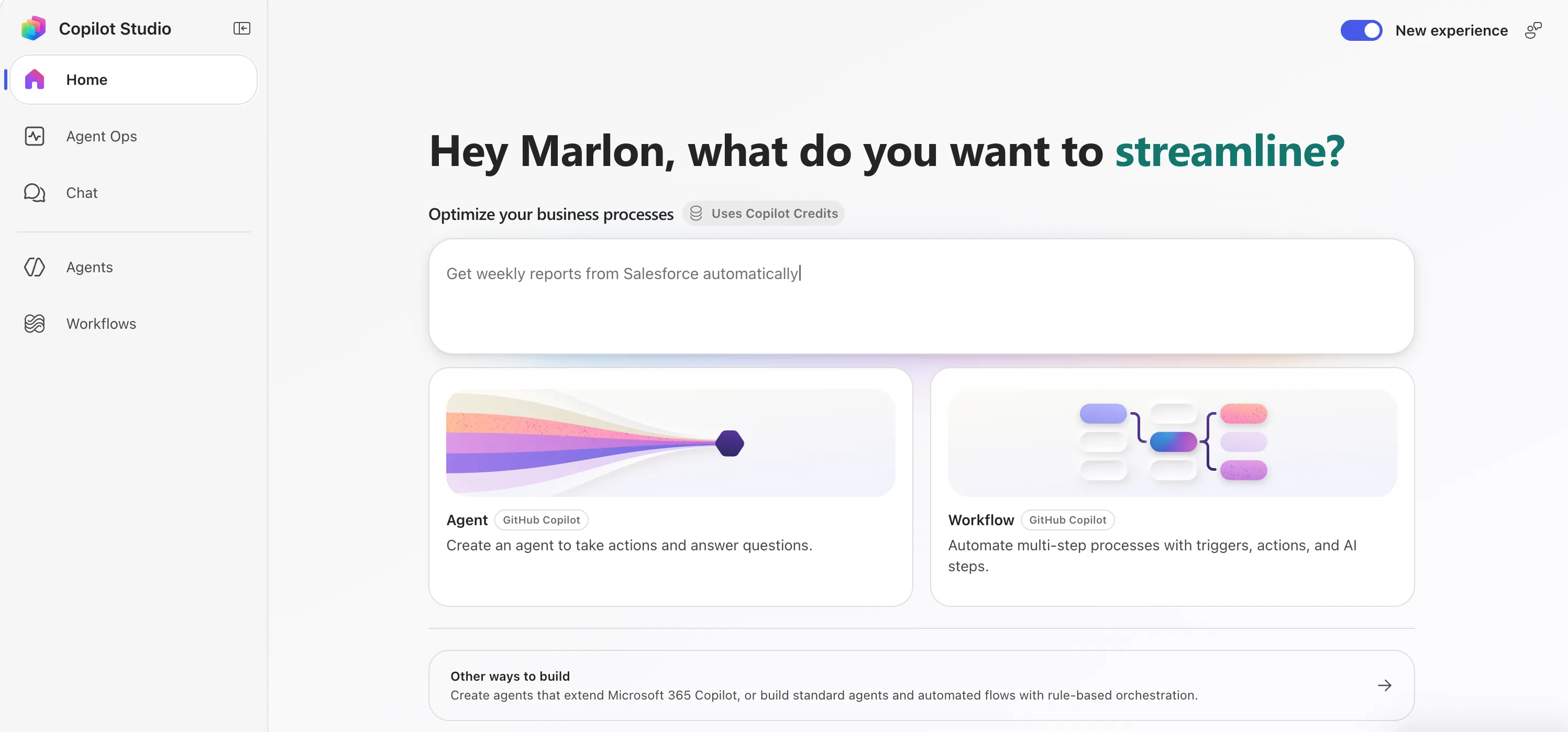
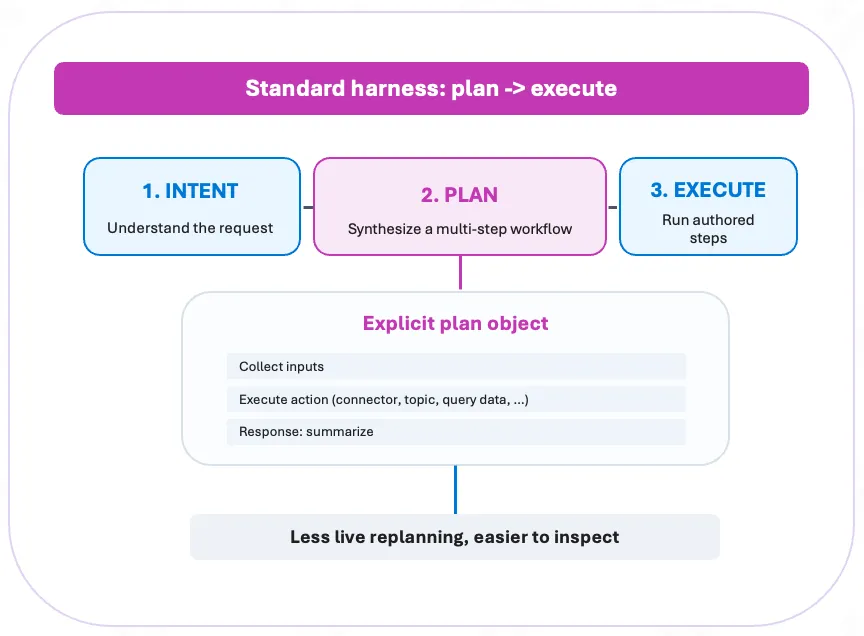
The Standard Harness plans, then executes. It reads the request, synthesises a multi-step workflow up front, and runs the authored steps in order. The plan is an explicit object you can look at: collect the inputs, run an action (a connector, a topic, a data query), summarise the response. Because the plan is fixed before anything runs, there’s less live replanning and the whole thing is easier to inspect.
The GitHub Copilot Harness runs a loop instead. It doesn’t commit to a plan up front. It reasons over the latest state, calls a tool or topic, reads the result, decides the next step live, and goes round again: Thought, Action, Observation, Decide, repeat. The plan emerges as it goes, and it can change course after every observation.
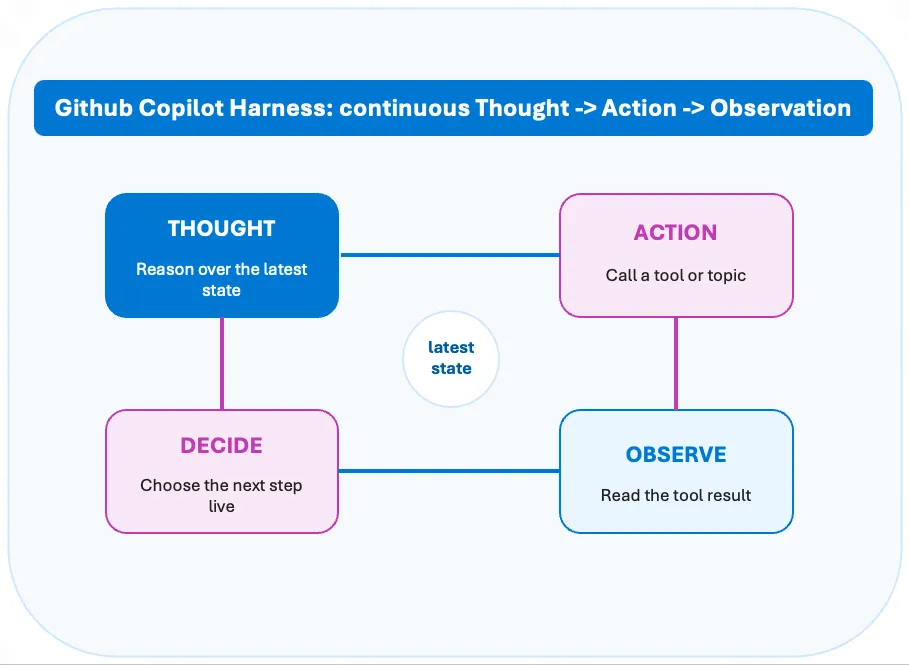
That loop is the whole point of the new harness, and it’s a genuine benefit. A plan-and-execute model has to be right about the plan before it has seen any results. The loop doesn’t. When a tool returns something unexpected, when a step fails, when the request turns out to be more complicated than it looked, the loop just reasons over the new state and picks a different next step. That’s what lets it handle the long-running, multi-system work the Standard Harness can’t: it adapts mid-run instead of falling off the end of a script.
The trade-off is the flip side of the same coin, and it ties straight back to the cost section. The loop’s freedom to replan is exactly what makes it consume credits while you build and test, and what makes a run harder to predict up front. Plan-then-execute is cheaper and easier to inspect precisely because it does less thinking on the fly. So the loop isn’t strictly better, it’s better for the class of problem that needs it, which is the same conclusion the pricing pushes you toward from the other direction.
The question I had to answer: can I pick the harness?h2
That was the most interesting open question for me. If Copilot Studio has three harnesses now, is there a dropdown somewhere?
Short answer: no.
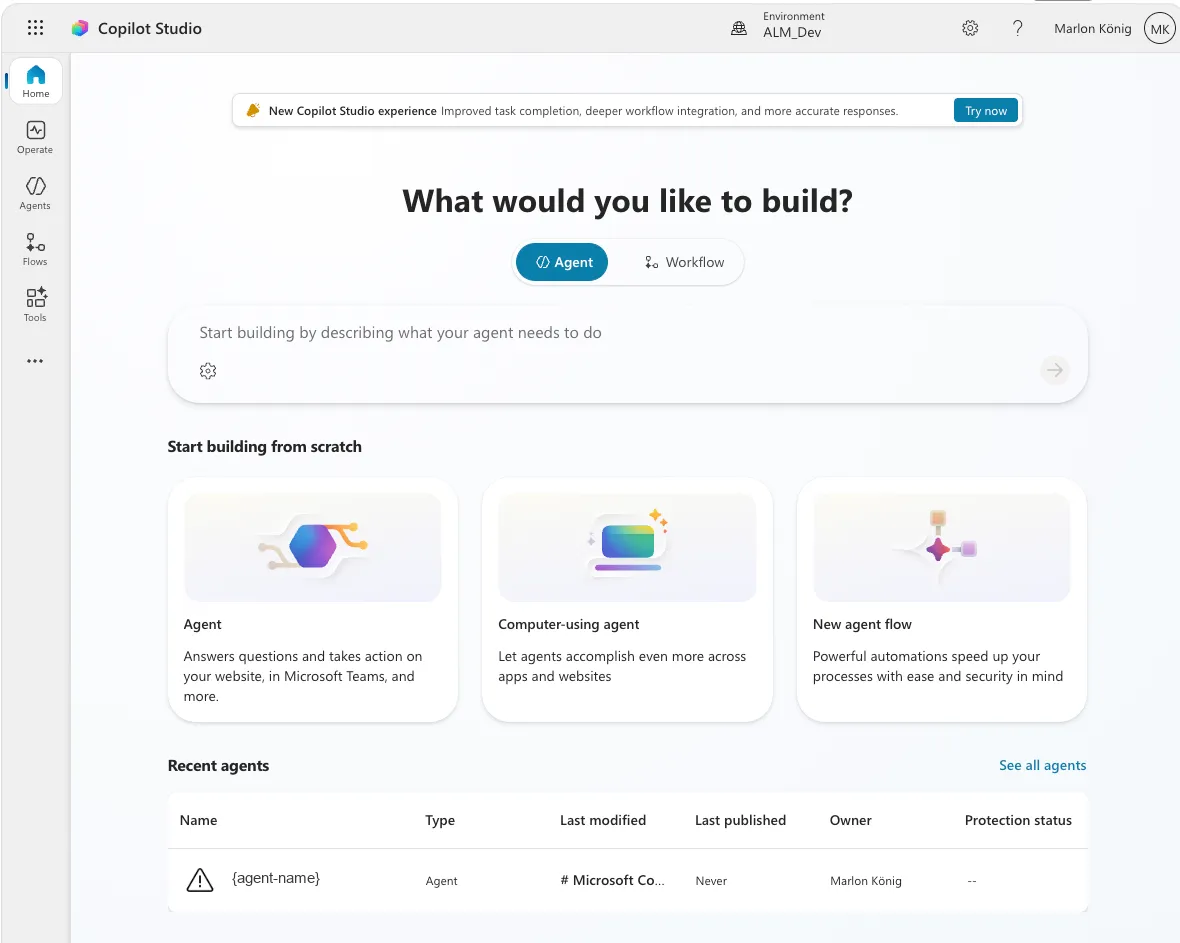
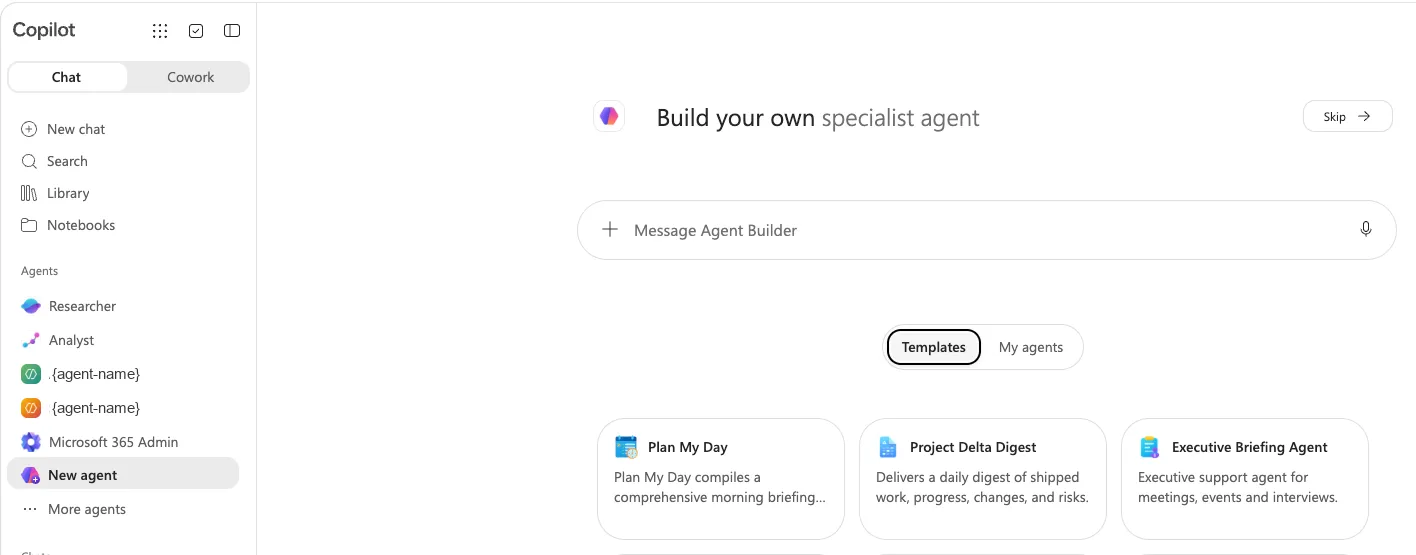
There’s no setting to pick, and no way to change it after the fact. The harness is decided one step earlier: it simply depends on where you create the agent, in the new experience or the classic one.
And it’s a one-way street. Agents created in the new experience can’t be moved into the classic one, and the other way round doesn’t work either. The two are built on fundamentally different architectures.
The licensing comparison: before and nowh2
And now we get to the part that causes the most confusion.
| Standard / Copilot Chat Harness (the familiar one) | GitHub Copilot Harness (new experience) | |
|---|---|---|
| When billing starts | After publish | When you test or author with AI |
| Natural Language Authoring | Included | Costs credits |
| Testing / Preview | Included | Costs credits |
| Evaluations | Included | Costs credits |
| Publishing | Included | No credits |
| Build tab (manual configuration) | Included | No credits |
| Monitor tab | Included | No credits |
| Runtime in the tenant | Covered by M365 Copilot license (eligible scenarios) | Costs credits, license gives no benefit |
| Work IQ APIs | Separately via credits | Separately via credits |
| Billing currency | Copilot Credits | Copilot Credits |
On that last row, because it’s the most misunderstood point: both sides bill in the same currency. Copilot Credits are the shared currency across all Copilot Studio capabilities, and since 1 September 2025 the currency for agents changed from Messages to Copilot Credits, with no change to the amount per prepaid pack or to the pay-as-you-go rate.
Read down that new-experience column and the pattern is stark. On the GitHub Copilot Harness the Build tab, as long as you’re configuring by hand and not letting it author for you, and the Monitor tab are the only two places that don’t touch credits. Everything else does.
So “it used to be free” isn’t true. It was covered, and that’s a different thing.
If you have a Microsoft 365 Copilot license, using Standard Harness agents in Copilot Chat, Teams or SharePoint for classic answers, generative answers or Microsoft Graph tenant grounding doesn’t count against the Copilot Studio message pack or meter. That usage is zero-rated. Agent flow actions triggered by M365-Copilot-licensed users are included at no extra cost too, though only for flows using the “When an agent calls the flow” trigger; other triggers still consume credits, and Computer-Using Agents are excluded from the license entitlement altogether.
The crucial catch: none of that applies to the GitHub Copilot Harness. Microsoft states plainly that agents on the GitHub Copilot Harness use usage-based billing for all work, regardless of Microsoft 365 Copilot licensing. So the “we already have the licenses, it’s covered” reasoning holds on the Standard Harness and evaporates the moment you’re on the new one.
Testing and running were, on the Standard Harness with an M365 license, effectively all-inclusive. With one exception I’ll get to in a second.
Something that also applies to the Standard side and gets forgotten a lot: Copilot Studio enforces the capacity you bought on a monthly basis, unused credits don’t roll over to the next month, and if you go over, technical enforcement kicks in. There’s a grace buffer, and per the current guidance enforcement bites at around 125% of your prepaid capacity rather than the instant you hit 100%, but at that point agents get disabled and further invocations are rejected until you top up or the month resets.
The metered part on the GitHub Copilot Harness is the exact loop you use to make an agent good: authoring with AI, previewing, testing and evaluating all draw credits, and billing no longer waits for publish. Only purely manual Build-tab edits and the Monitor tab stay free.
What actually bugs me about thish2
It isn’t the runtime costs. It’s that testing costs money, and the reason gets lost in the noise. The GitHub Copilot Harness is genuinely better: reasoning, tool use, file handling all take a visible jump. But “better” doesn’t mean you type three sentences of instructions and you’re done. A good agent is fast, doesn’t reach for six tools on every little question, and is cost-optimised, and that last twenty percent of quality only comes out of dozens of iterations. Change the wording, test. Swap the knowledge source, test. Pull a tool and see if the answer still holds, test.
Every one of those runs now has a meter on it. Spend an afternoon tuning and re-testing after each change and you can burn through a few hundred preview runs before lunch, each one billed. So the road to a cost-optimised agent is paved with runs that cost money: cost optimisation costs money.
What bothers me more is the effect on behaviour. I work differently when a meter is running. You test less, you test shallower, you skip the edge case that’s probably fine. Then the agent ships with exactly that edge case. My gut says worse-tested agents cost more in production than the test runs you saved.
On runtime costs I’m relaxed: for a manageable group or external users, credits often beat the license route anyway. What’s lost is the harmlessness. Before, I could tell a customer “you already have the licenses, just try it out, it costs nothing extra.” On the GitHub Copilot Harness that sentence is gone. And in an org where someone other than the builder sees the bill, one surprise month is enough to freeze the next agent project in approval. That’s not a cost problem, it’s a political one. (Microsoft is finally shipping guardrails for exactly this.)
There’s a learning-curve angle to this too. A lot of people aren’t fluent at building agents yet, and plenty genuinely don’t know whether an agent even makes sense for their use case until they’ve tried a handful. That trying-out phase is where they find out, and it’s exactly the phase the meter now taxes. That’s why I’d rather see this kind of exploratory use bundled into the M365 Copilot license, or included some other way: let people work out whether it’s worth it before the cost clock starts.
I don’t want to oversell it. The model is fair. Microsoft has to put the compute cost of frontier models somewhere, and consumption reflects real work better than a flat rate. It still takes the lightness out. And lightness was an underrated reason people got started with agents at all.
And how long does the classic one stick around?h2
If the classic route is cheaper, how long can I keep using it? Officially, indefinitely: the Learn doc says the classic experience stays fully supported alongside the new one. That’s not a deprecation, and there’s no end date.
The only hard dates concern the Teams route, and they live in tenant-only Message Center posts, not the public docs: creating classic agents from the Copilot Studio app in Teams is being retired in favour of the web app, originally slated for around 1 April 2026, then pushed to 30 June 2026. Existing agents keep running and users get redirected automatically. That’s a channel change, not a deprecation, so check your own Message Center for the current date.
For a sense of pace, look at the precedent. The Power Virtual Agents → Copilot Studio rename was late 2023; almost three years on, the migration guide is still live, still updated, and still says extra tooling to migrate classic bots “might” arrive in the future. No binding deadline was ever set, and existing bots keep running. Microsoft is a master at keeping product versions alive in parallel for years.
So the pressure is lower than it feels. Even the advocates I talk to don’t blanket-recommend the GitHub Copilot Harness for everything, and when the newest-thing crowd starts differentiating, that’s a signal. What you should change today is where you create new things, not what you do with the existing ones.
What it costsh2
I’m going to write something specific about how high the costs actually are, so I’ll keep it short here. For now the one thing worth doing is putting your own scenario into Microsoft’s calculator:
You pick licensing options, agent types and the features your agent uses, and you see the resulting credit consumption. One caveat to keep in mind: the estimator was originally built for the classic Copilot Studio, not the new experience, so the credit numbers it gives you can be off for a GitHub Copilot Harness agent. Treat it as a starting point for the conversation with finance, not a quote.
What I’m taking away for practiceh2
If there’s one thing this shift makes clear, it’s that good governance matters more now than it ever has. The companies that already sorted out spend policies, thresholds and clear ownership are the ones this lands softly on. The new billing model just slots into controls they were already running, and the move pays off exactly when it counts.
For everyone who hasn’t got there yet, it’s the other way round. The meter is already running, and you’re putting the guardrails up after the spending has started instead of before. That’s the worse place to be, and it gets more expensive the longer it waits.
So the takeaway is simple: sort the governance out now, not once the first surprise bill lands.
Comments
Comments are provided by giscus and only load when you choose to. Details are in the privacy policy .